

One of the key factors to the success of any business is how hard its employees work to surpass the goals of the company. In order for this to happen, however, the company’s employees should have a high level of accountability for the work they are doing. This article will discuss what accountability is, why it is important, and how you can increase the employee accountability in your workplace.
What is Employee Accountability?
Accountability is when employees of a business are held responsible for completing the specific tasks they are assigned, the various duties that go along with their role, as well as being consistently present for their shifts. If these things are not met, then the employee is also responsible for the repercussions that follow.
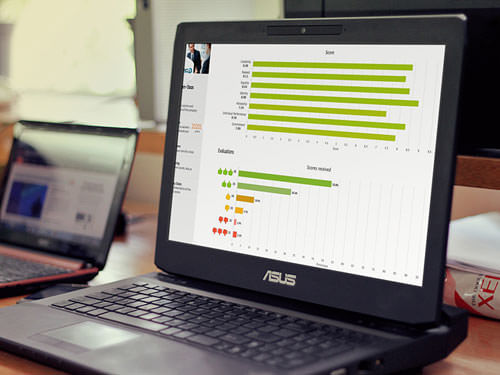
Working on improving employee engagement?
EPIC is an Employee Engagement software that gives you the tools and insights to create a workplace culture that encourages engagement, loyalty, and trust.
Ways to Increase Employee Accountability at Work
There are many ways that a company can help to increase the accountability of its employees, however the following are some of the most popular and successful methods.
1. S.M.A.R.T. Goals: A way to build a higher level of accountability in the workplace is to have your employees set SMART goals – goals that are specific, measurable, achievable, results-oriented and time-bound. Employees who have goals that meet these criteria will feel that the tasks they are assigned are more feasible and that their goals are more attainable. It allows employees to feel more organized and less overwhelmed by the duties they are accountable for.
2. Time and Attendance Software: Your biometric devices will work best when they are paired with high-quality time and attendance software. This will allow for much more accurate and efficient attendance tracking and processing. When an employee uses the biometric device to clock-in for their shift, their hours and information are recorded onto the device and can then be automatically uploaded into the time and attendance system. This will allow for automatic and accurate attendance tracking. Time and attendance software leaves little to no room for errors, as all information is uploaded automatically.
3. Prioritization: One reason why employees are not always accountable for their work, or cannot always complete it is that they become overwhelmed. Having a lack of direction or priorities can cause the workload to seem daunting and impossible to complete on time. By meeting with your employees and helping them to prioritize their tasks and duties based on the overall goal of the company, you will find that they become more productive during their shifts, leading to increased accountability.
4. Progress Reports: Monitoring your employees progress over time and completing full progress reports for them will encourage your employees to be more productive and accountable for their work. It is only natural that we tend to work harder and steadier when we know we are being monitored and our progress is being graded.


Dianne Shaddock
Latest posts by Dianne Shaddock (see all)
- Build the Best Team for Your Small Business - November 12, 2019
- Cross Training Staff – Doing the Right Thing For the Wrong Reasons - January 18, 2019
- Proactive Employee Management Really Boils Down To The Basics - December 21, 2015
- Office Meetings Do Not Have To Be A Productivity Time Drain If Done Right - November 17, 2015
- Proposed Changes To Employee Rights Laws: WAGE Act Bill - November 3, 2015


Thanks for the tips! I can relate to tip #2, yeah, time and attendance software is a vital tool that each company should have. Without it I think you can’t fairly track your employees on how they work on their tasks.